GB WhatsApp Download for PC/Windows: Complete Guide 2026
GB WhatsApp for PC/Windows is a topic many users search for when they want to use the features of a modified WhatsApp experience on a larger screen. However, there is an important distinction to understand: GB WhatsApp is an unofficial Android modification, not a native Windows application.
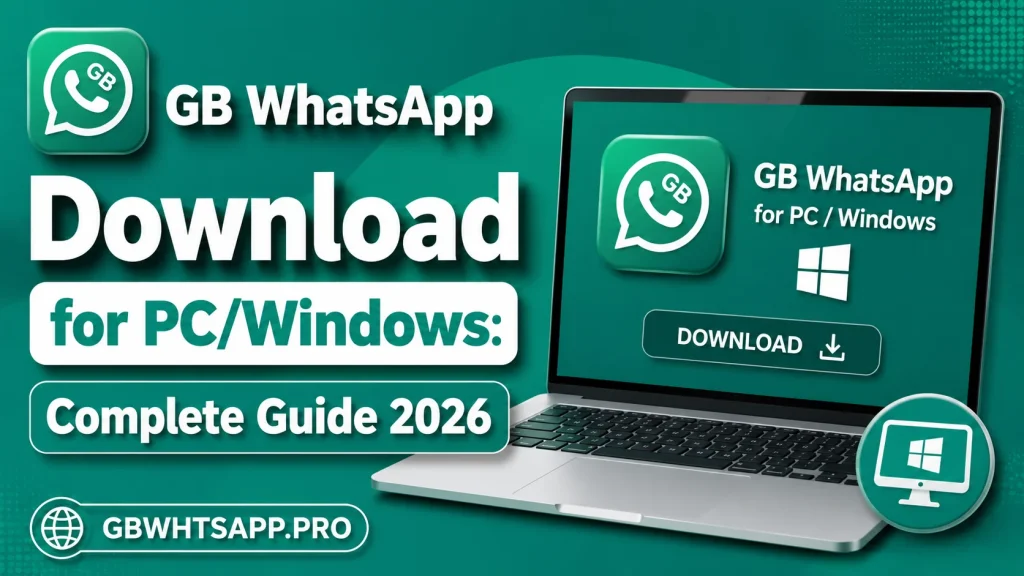
There is currently no official GB WhatsApp Windows .exe version. The Android APK is designed for Android, so attempting to run it directly on Windows will not work like a normal desktop program.
This guide explains the PC situation, compatibility, alternatives, installation considerations, common problems, and safety issues users should understand in 2026.
Is GB WhatsApp Available for Windows?
GB WhatsApp is primarily an Android application. Its APK package is built for Android rather than Windows, which means Windows cannot normally open the APK as a standard desktop application.
Some websites describe ways to run Android APK applications inside Android-emulation environments on a computer. However, this does not create a native GB WhatsApp Windows application.
For this reason, users should be careful with websites advertising a “GB WhatsApp for Windows EXE” as an official desktop version.
Can You Run GB WhatsApp on a PC?
Technically, Android applications can be run on some Windows computers through Android-compatible environments. However, because GB WhatsApp is an unofficial modified application, using it on a PC introduces additional security and compatibility considerations.
An Android emulator creates an Android environment inside Windows, allowing compatible Android applications to operate within that environment.
The important point is that this is different from downloading an official Windows version.
GB WhatsApp PC vs Official WhatsApp Desktop
The official WhatsApp desktop experience is designed specifically for computers, while GB WhatsApp is an Android modification.
| Feature | GB WhatsApp on PC | Official WhatsApp for Windows |
|---|---|---|
| Native Windows application | No | Yes |
| Original platform | Android | Windows-supported desktop experience |
| Extra GB customization | May be available in an Android environment | No |
| Official support | No | Yes |
| Installation complexity | Higher | Lower |
| Security confidence | Depends on unofficial software | Officially maintained |
| Updates | Third-party | Official |
For users who simply need messaging on Windows, the official desktop experience is generally the more straightforward choice.
Why Do Users Search for GB WhatsApp on PC?
There are several reasons users may be interested in using a modified WhatsApp experience on a computer.
Larger Screen
A computer monitor provides more space for reading conversations and managing multiple chats.
Physical Keyboard
Typing long messages with a physical keyboard can be more convenient than using a smartphone keyboard.
Desktop Workflow
Some users prefer keeping messaging available while working on a computer.
Larger Interface
A larger display can make photographs, documents, and conversations easier to view.
However, these benefits do not mean that GB WhatsApp has an official Windows release.
What You Need to Consider Before Using GB WhatsApp on Windows
Before attempting to run unofficial Android software on a PC, consider your computer’s security and performance.
Windows Compatibility
Your PC needs to support the Android environment you intend to use.
Storage
Android environments can consume significant disk space in addition to the application’s own storage requirements.
RAM
Running an Android environment alongside Windows applications can require additional memory.
Security
Unofficial applications can carry additional risks, particularly when installation files come from unknown sources.
Why a “GB WhatsApp EXE” Should Be Treated Carefully
A genuine Android APK is not the same thing as a Windows executable.
If a website claims that it has an official GB WhatsApp .exe, users should verify the claim carefully rather than assuming the file is legitimate.
Modified applications are already outside the official WhatsApp distribution system, and repackaged Windows installers add another layer of uncertainty.
Avoid opening suspicious executable files simply because they promise a “PC version.”
Can GB WhatsApp Be Used Through WhatsApp Web?
The official WhatsApp Web and desktop services are designed around supported WhatsApp accounts and official clients.
A modified application may not provide the same compatibility as the official WhatsApp application. Users can therefore experience linking problems, QR-code errors, or unexpected behavior.
Recent community reports also show that users have experienced difficulties linking some WhatsApp modifications with computers.
Common GB WhatsApp PC Problems
1. APK Will Not Open
Windows does not normally execute Android APK files directly.
An Android-compatible environment would be required to run Android software.
2. Application Crashes
Crashes can result from incompatibility between the Android environment, the APK, and the Windows computer.
3. Verification Problems
Phone-number verification may not work reliably in every Android environment.
Network configuration, application compatibility, and service-side changes can all affect verification.
4. QR Code Problems
Users attempting to connect modified WhatsApp applications with desktop services may encounter QR-code or linking problems.
This can change as WhatsApp updates its systems.
5. Slow Performance
Running an Android environment consumes computer resources.
If the PC has limited RAM, storage, or processing power, the application may perform poorly.
GB WhatsApp PC System Considerations
There is no single official Windows specification for GB WhatsApp because there is no native Windows edition.
Instead, requirements depend on the Android environment being used.
| Component | Consideration |
|---|---|
| Operating System | Compatible Windows version |
| Processor | Modern processor recommended |
| RAM | More memory helps when running an Android environment |
| Storage | Additional free space required |
| Internet | Stable connection recommended |
| Graphics | Depends on the Android environment |
Always check the requirements of the software you use to create the Android environment.
Is GB WhatsApp Safe on PC?
The same basic concerns that apply to GB WhatsApp on Android also apply when running it on a computer.
The application is unofficial, and its security depends heavily on the particular build and source.
Potential concerns include:
- Malicious or modified installation files
- Privacy risks
- Account restrictions
- Unstable releases
- Compatibility problems
- Unwanted permissions
- Data exposure
Recent online discussions have also included reports alleging malicious code in some WhatsApp modifications, although individual reports should be independently verified before drawing conclusions about every version.
For that reason, users should not assume that a file is safe simply because a website describes it as “verified,” “anti-ban,” or “secure.”
Safer Approach for Windows Users
If your main goal is simply to use WhatsApp on a computer, an official Windows-compatible WhatsApp solution is generally the safer and easier choice.
It avoids the additional complexity of running an unofficial Android modification inside another environment.
If you specifically need GB WhatsApp’s extra customization features, understand that there is no official native Windows version and that unofficial workarounds can carry additional risks.
Frequently Asked Questions
Is there an official GB WhatsApp for Windows?
No. GB WhatsApp is an unofficial Android modification rather than a native Windows application.
Can an APK run directly on Windows?
An Android APK is not a normal Windows executable. It requires an appropriate Android-compatible environment.
Is there a GB WhatsApp EXE file?
There is no official GB WhatsApp Windows .exe release. Be cautious with websites advertising one.
Can I use GB WhatsApp on a laptop?
GB WhatsApp is designed for Android. Running Android applications on a laptop requires an appropriate compatible environment, but doing so with unofficial software introduces additional security and compatibility concerns.
Is official WhatsApp better for PC?
For most users who simply want messaging on Windows, the official desktop experience is more straightforward and receives official support.
Why does GB WhatsApp stop working on PC?
Possible causes include application changes, compatibility issues, verification problems, linking failures, or changes to the underlying WhatsApp service.
Final Thoughts
GB WhatsApp Download for PC/Windows can be confusing because many pages describe an Android APK as though it were a native Windows application. In reality, GB WhatsApp is an unofficial Android modification and does not have an official native Windows .exe edition.
Users researching GB WhatsApp on PC should distinguish between an Android application running inside a compatible environment and genuine Windows software. They should also be particularly careful with suspicious executable files, unofficial downloads, and claims of guaranteed security or anti-ban protection.
For readers researching GB WhatsApp for PC, Windows compatibility, features, updates, and troubleshooting, GBWHTSAPP.PRO can provide informational guides while clearly explaining the limitations and risks of unofficial software.